
Introduction
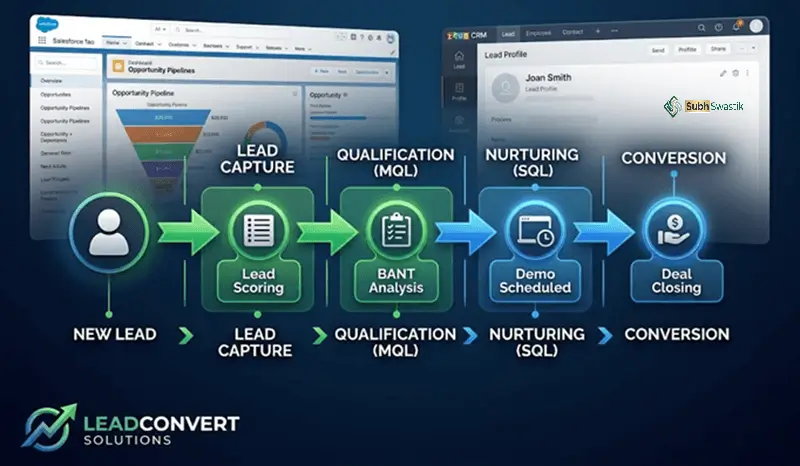
Lead conversion is the critical transition point where a potential customer becomes an actual one. It is the moment when interest transforms into action and prospects become paying clients . In today’s competitive business landscape, understanding how to convert leads is not just a sales advantage—it is a necessity for sustainable growth.
The process of converting leads in Salesforce and other CRM platforms represents a pivotal workflow. In Salesforce, turning a qualified Lead into an Account, Contact, and Opportunity marks the shift from potential interest to an active sales process .
What is Lead Conversion?
Converting a lead means transforming a qualified prospect into a paying customer . It is the culmination of your sales and marketing efforts, representing the moment when a prospect makes a purchase decision or takes a desired action.
Key Components
| Component | Description |
|---|---|
| Qualified Lead | A prospect who has expressed interest and meets certain qualification criteria |
| Conversion Action | The specific action that defines a conversion (purchase, signup, etc.) |
| Conversion Rate | The percentage of leads that become customers |
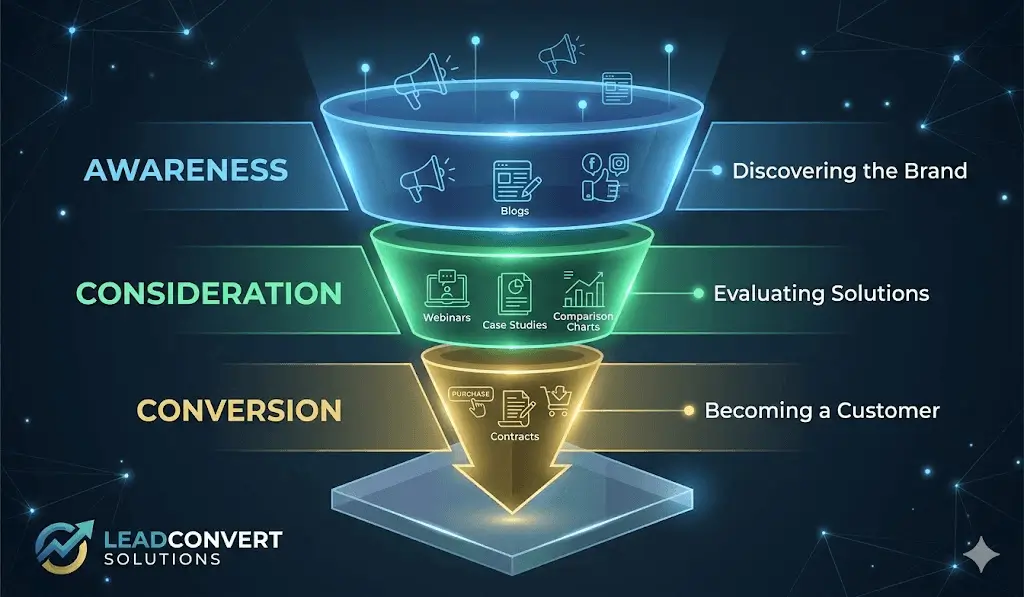
| Conversion Funnel | The structured journey from awareness to conversion |
Lead Conversion in Salesforce
Converting leads in Salesforce is one of the most important workflows in CRM . It represents the moment when one record (the Lead) splits into three: the Account, the Contact, and optionally, the Deal.
What Salesforce Creates
| Object | Description |
|---|---|
| Account | A new record for the company, or a match against an existing account |
| Contact | A new record for the person, automatically linked to the account |
| Opportunity (Optional) | A new deal record, linked to both account and contact |
Lead Conversion Mapping in Salesforce
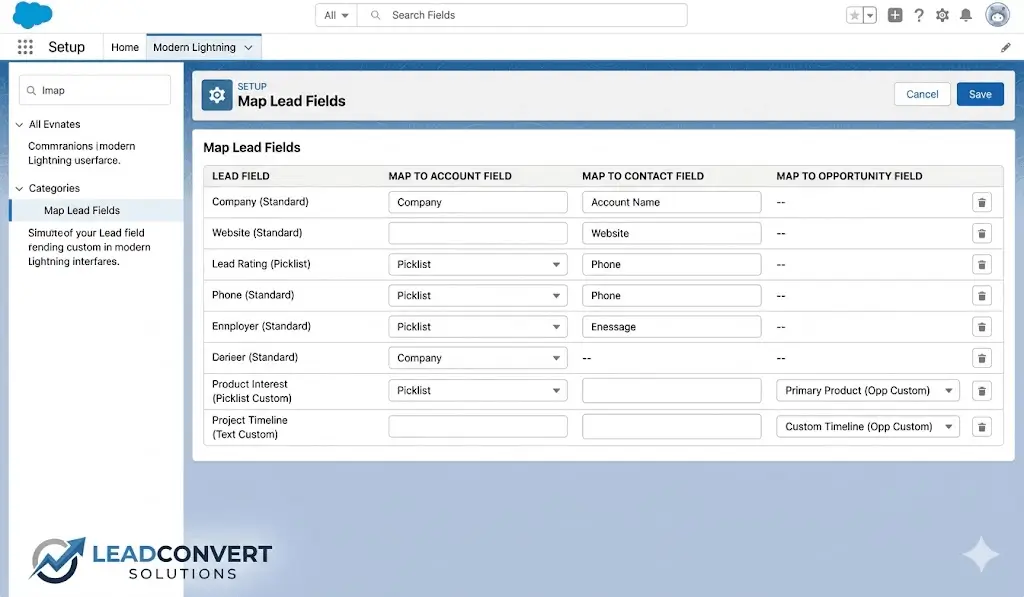
Mapping lead data in Salesforce determines where information goes after a lead becomes a customer . When businesses customize Salesforce Leads with additional fields, these custom fields don’t automatically carry over. Without proper mapping, your team risks losing key data at the most critical stage of the sales cycle.
Also Read : Google Ads 2026: The Complete Guide to Mastering Pay-Per-Click Advertising
How to Map Custom Lead Fields
- Go to Setup → Object Manager → Lead → Fields & Relationships
- Click Map Lead Fields
- For each custom Lead field, select the corresponding field on Account, Contact, or Opportunity
- Save your mappings
- Test by converting a lead and verifying that the mapped fields carried over correctly
The Conversion Process in Salesforce
Converting leads in Salesforce requires careful consideration:
- When to convert: Convert only after having a meaningful conversation with the prospect
- What to create: Decide whether to create an Opportunity at conversion
- How to map fields: Ensure all custom fields are properly mapped
Best Practice: Create a deal at conversion in most cases. This gives you a dedicated opportunity record that owns the rest of the sales process . If you are not fully ready to commit to a pipeline stage, place the deal in an early stage such as Qualification.
Also Read : AI Marketing in 2026: The Complete Guide to Tools, Careers, and Strategy
Lead Conversion Mapping in Zoho CRM
Mapping lead data in Zoho CRM determines where information is sent upon conversion (Account, Contact, Deal) . This configuration is crucial for maintaining data integrity and ensuring that valuable lead intelligence is not lost.
Where to Map in Zoho CRM
| Destination | What to Map |
|---|---|
| Account | Company information: industry, annual revenue, company name |
| Contact | Person information: name, email, phone, title |
| Deal | Deal information: requested service, lead source, anticipated project size |
How to Find Lead Conversion Mapping in Zoho CRM
- Click the gear icon to open Settings
- Navigate to Modules and Fields
- Click the three dots next to the Leads module
- Select Lead Conversion Mapping
Best Practices for Mapping
- Ask: Is this about the person, the company, or the specific opportunity?
- Industry is a company attribute → goes to Account
- Email and phone are person attributes → go to Contact
- Lead Source and Requested Service → go to Deal and Account
- Avoid the temptation to map every field everywhere — store data in one place
Lead Conversion Rate: Formula and Calculation
The conversion rate is a critical sales and marketing metric that measures the percentage of leads that become paying customers.
The Formula
Conversion Rate = (Number of Leads Converted into Customers ÷ Total Number of Leads) × 100
Example
If you received 500 leads and closed 75 deals:
(75 ÷ 500) × 100 = 15%
This means 15% of your leads became paying customers.
What is a Good Rate?
No universal benchmark applies to all companies . A rate of 5% can be poor for some companies and positive for others. When evaluating your performance, pay attention to:
- Industry averages
- The company’s past performance
Quick Calculator
| Total Leads | Converted Leads | Conversion Rate |
|---|---|---|
| 500 | 75 | 15% |
| 1,000 | 100 | 10% |
| 250 | 50 | 20% |
Lead Conversion Funnel: The Customer Journey
A conversion funnel is a structured way to help convert potential clients into paying ones . It represents the journey from initial awareness to final conversion.
Three Stages of a Funnel
| Stage | Description | Actions |
|---|---|---|
| Top of Funnel (Awareness) | Someone has discovered your company but is not yet interested in your products | Offer valuable content, newsletter signups |
| Middle Funnel (Consideration) | Someone is aware of your products and is considering if they are right for them | Demonstrations, case studies, testimonials |
| Bottom Funnel (Conversion) | The potential client is ready to use your products and services | Sales engagement, deal closing |
Types of Funnels
- Sales funnel: For high-quality MQLs and existing customers
- Content marketing funnel: Guides prospects through personalised content
- Social media funnel: Uses social platforms to attract and nurture prospects
- Email marketing funnel: Nurtures prospects through email campaigns
How to Improve Lead Conversion Rate
Optimize Your Keywords
Google Ads recommends using specific keywords for better results . Specific keywords often tend to have a better conversion rate than general keywords.
Use Negative Keywords
Use negative keywords to limit your ad so that it doesn’t show up for people who are just browsing and aren’t ready to purchase anything yet.
Use the Search Terms Report
Google Ads shows how individual keywords are performing, and also the exact words customers searched for when your ad showed up.
Track the Entire Journey
Google’s Journey Aware Bidding learns from your primary conversion goal plus additional, non-biddable journey stages . Advertisers who fully track and properly categorize each step of their purchase funnel stand to benefit the most.
Other Ways to Improve
- Highlight a distinct offer that customers can take advantage of
- Provide sufficient information for customers to make a decision
- Include an explicit “call to action”
- Make sure your website is easy to navigate
Conclusion
Converting leads is the critical bridge between marketing and sales. Whether you’re using Salesforce, Zoho CRM, or any other platform, understanding the process, mapping, and conversion rate formula is essential for business success.
By mastering field mapping and tracking your conversion rate, you can turn more prospects into paying customers and drive sustainable business growth.
FAQ Section
Q1: What is lead conversion in Salesforce?
A1: It is the process of turning a qualified Lead into three related objects: Account, Contact, and optionally an Opportunity .
Q2: What is lead conversion mapping?
A2: It determines where lead data goes after conversion, controlling which fields are passed to Account, Contact, or Deal.
Q3: How do you calculate lead conversion rate?
A3: Use the formula: (Number of Leads Converted ÷ Total Number of Leads) × 100.
Q4: What is a lead conversion funnel?
A4: It is a structured process that moves potential customers through awareness, consideration, and conversion.
Q5: How do you map custom lead fields in Salesforce?
A5: Go to Setup → Object Manager → Lead → Fields & Relationships → Map Lead Fields, then select the corresponding destination fields.

Leave a Reply